
Campus-wide Wi-Fi

Securely Onboard Students, Faculty, Staff, and Guests

Streamline onboarding with an intuitive self-service portal for device management. VAULT ensures a secure, managed network experience for every connection, with unique per-user PSKs that provide stronger security and granular policy control.

Add User

VAULT has several onboarding options. Users are added to the Student Information System via the API by a facility admin, a network admin, or via self-service sign-up.

Welcome Email

VAULT automatically sends the user a welcome email with link to view and accept the network operator’s terms and conditions.

Set Account Password and Surf!

Upon term acceptance, the user creates an account password and logs in to access their Wi-Fi password. Done!

The User Experience

Welcome Email and Usage Terms
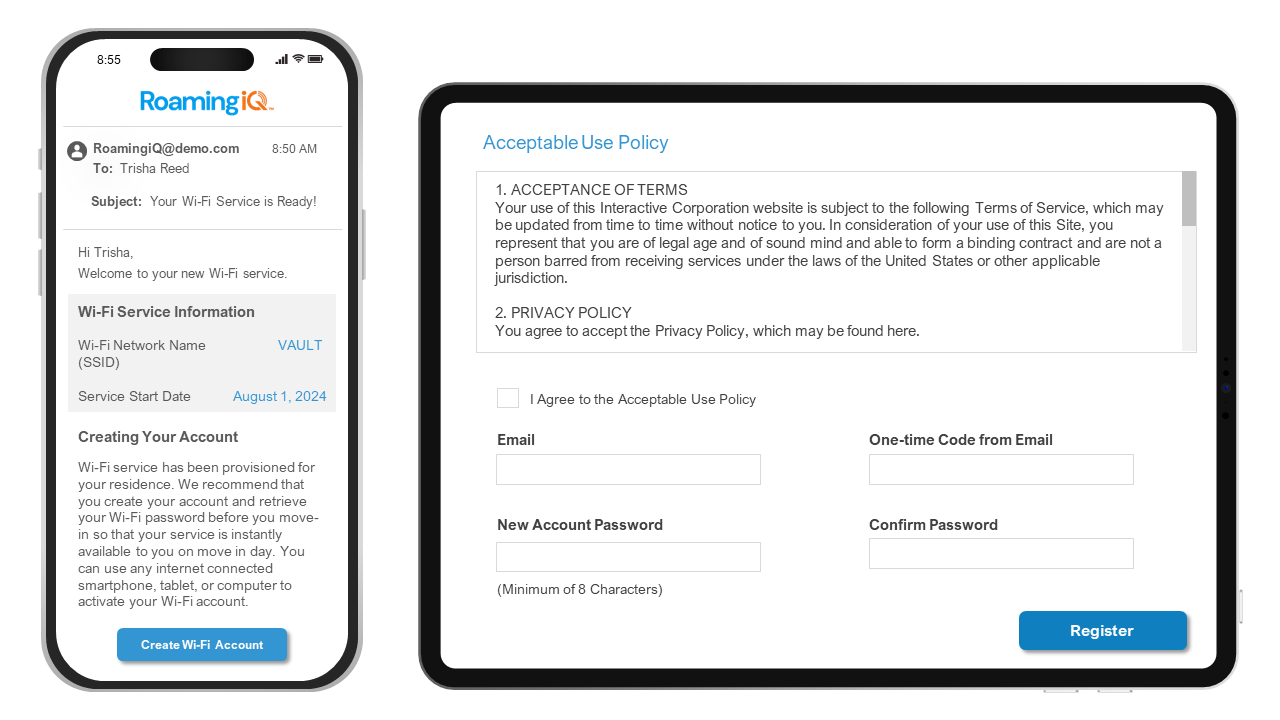
  • No appointment needed with the IT department or hours on the phone with support.

  • Simple, one-time authentication. Understanding MAC addresses is a thing of the past and replaced with manufacturer’s instructions to add IoT devices.
  • Users enjoy secure Wi-Fi throughout the campus. Their password works on any VAULT-enabled network in the world.

Why You Need VAULT

Industry Estimates Suggest

0%
Of students regularly use personal devices on school networks, increasing unmanaged access points.
0
Average attacks per week, thus repeatedly identified as one of the most targeted sectors worldwide.
0%
Reduction in unauthorized access by replacing shared passwords with unique credentials.
0%
Of students experienced connectivity issues in the past year, which negatively affected their schoolwork.
User Tools

Intuitive Wi-Fi Dashboard for Users

In an era where seamless Wi-Fi connectivity is non-negotiable, students, faculty, staff and guests need VAULT.
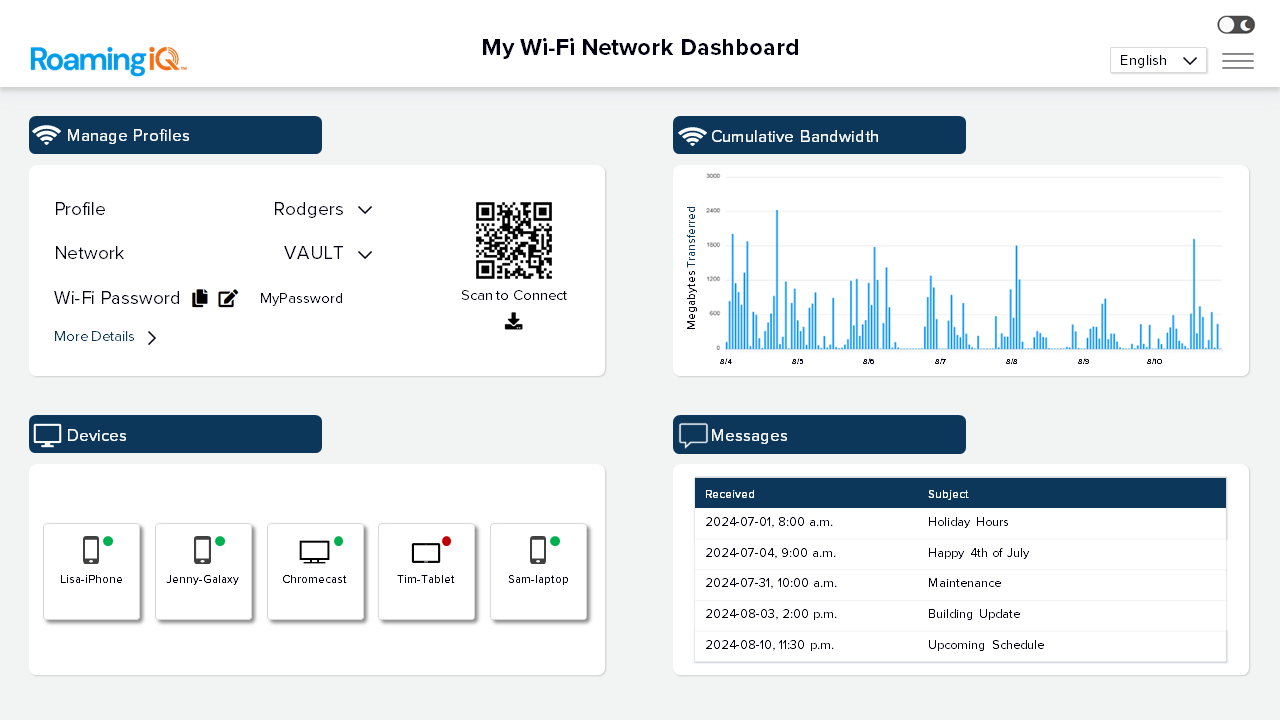
  • Ability to manage their account and Wi-Fi password

  • At-a-glance management of all connected devices

  • IoT friendly tools to easily add devices to the network

  • View bandwidth utilization by day or device

  • Message center for interacting with the Wi-Fi support team

Facility Management Tools

Management Dashboard

Implement VAULT on the existing Wi-Fi infrastructure without expensive hardware upgrades or additional on-premise devices.

  • At-a-glance status of activity, including property overview

  • Summary of support and equipment status
  • Tablet-friendly quick buttons for adding users and more

  • Tools for managing service activations and expirations

Challenges VAULT Solves for Education

Easy and automatic connectivity – No PSK hunting

Bypass MAC Randomization

VAULT doesn’t rely on MAC addresses to be connected.

Certificates and Hotspot 2.0

Bypass unnecessary security steps like certificate installations.

Security That Follows the User

No need for open and unsecured common space networks.

Testimonials

What People are Saying

DISH Fiber’s goal is to break down the walls of the roaming experience, which is why we partnered with RoamingiQ.

Josh Wade
Director of Product Management
DISH Business